












Insta360 1/4-Inch In-Car Mount Adapter
The Insta360 1/4" In-Car Mount Adapter is a car camera mount accessory from Insta360 that lets drivers and creators mount a wide range of Insta360 cameras inside a vehicle.


Insta360 1/4-Inch In-Car Mount Adapter is backordered and will ship as soon as it is back in stock.

Insta360 1/4-Inch In-Car Mount Adapter
HIGHLIGHTS
HIGHLIGHTS
The Insta360 1/4" In-Car Mount Adapter is a car camera mount accessory from Insta360 that lets drivers and creators mount a wide range of Insta360 cameras inside a vehicle. The Insta360 In-Car Mount Adapter turns your car interior into a versatile camera mounting position. The adapter uses a standard 1/4" mounting interface and works with Insta360 cameras from the X6 and X5 to the Ace Pro 2 and GO Ultra.
- Turns your car interior into a camera mount
- Works with a wide range of Insta360 cameras
- Uses a standard 1/4" mounting interface
- Supports the latest X6, X5, Ace Pro 2 and GO Ultra
FEATURES
FEATURES
1/4" In-Car Mount Adapter - Turn your car interior into the ultimate camera mount.
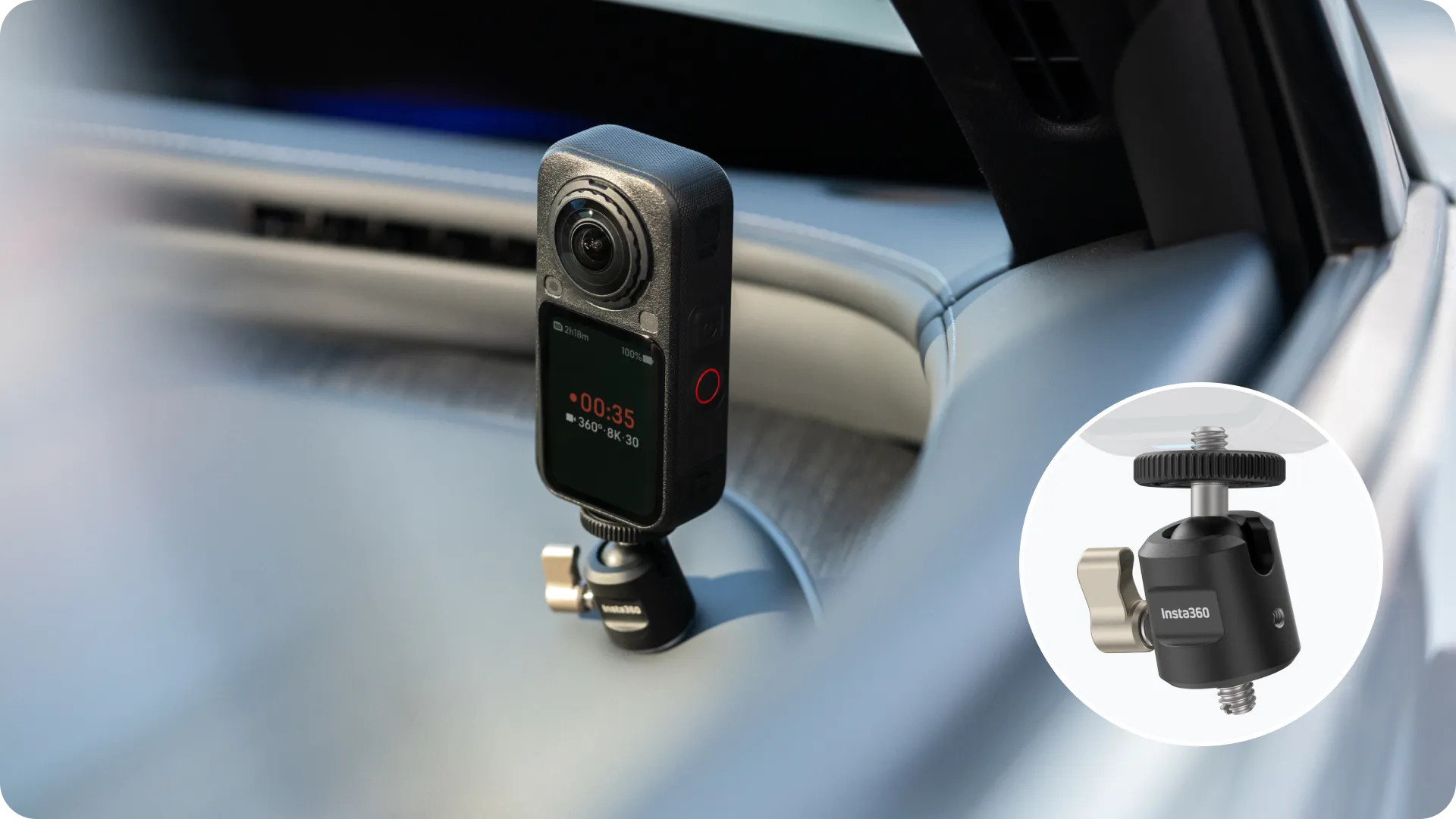
Turn any interior space into a camera mount - Mounts directly to existing 1/4" thread holes in your vehicle for stable, natural in-car angles without adhesives.
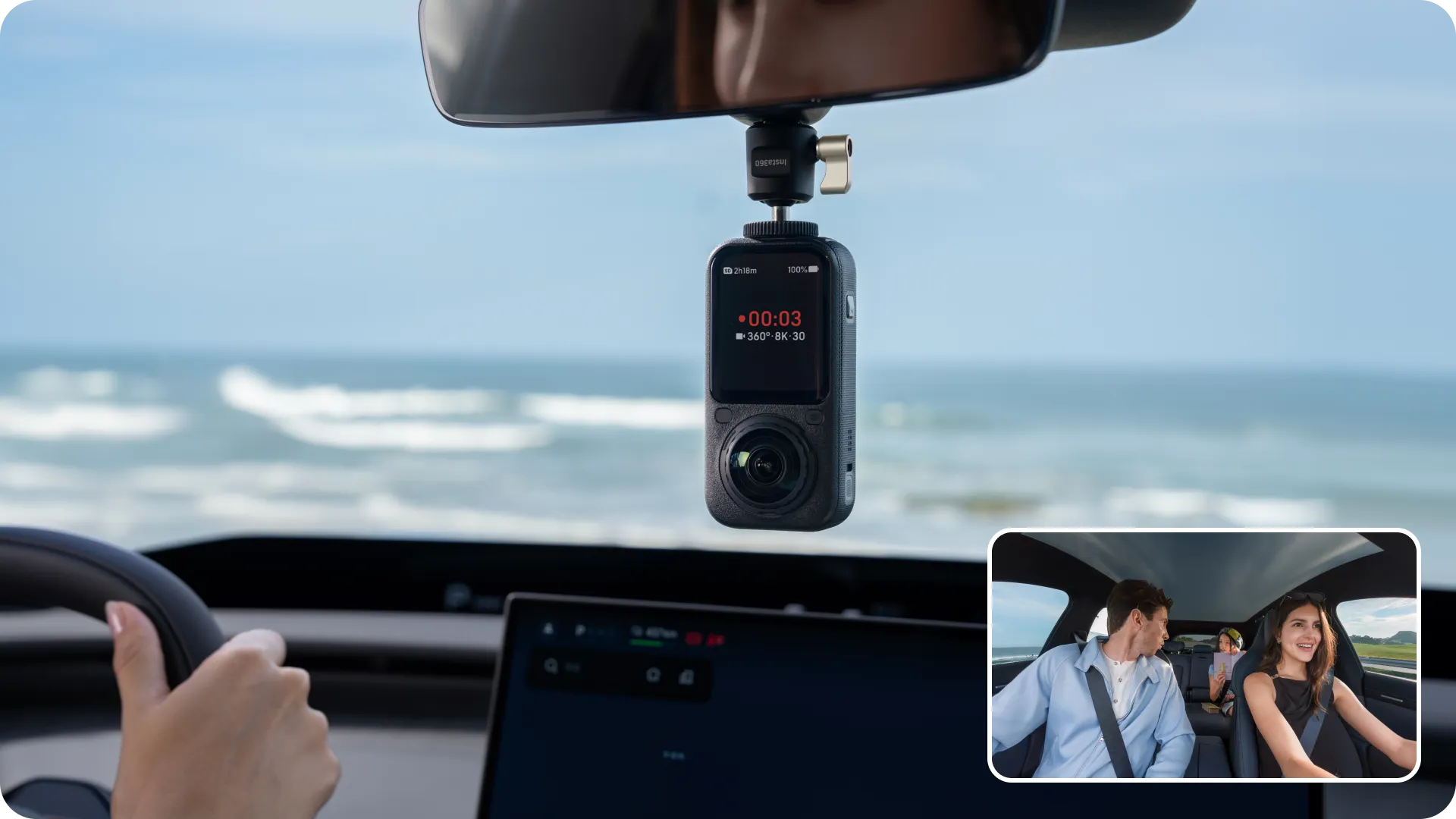
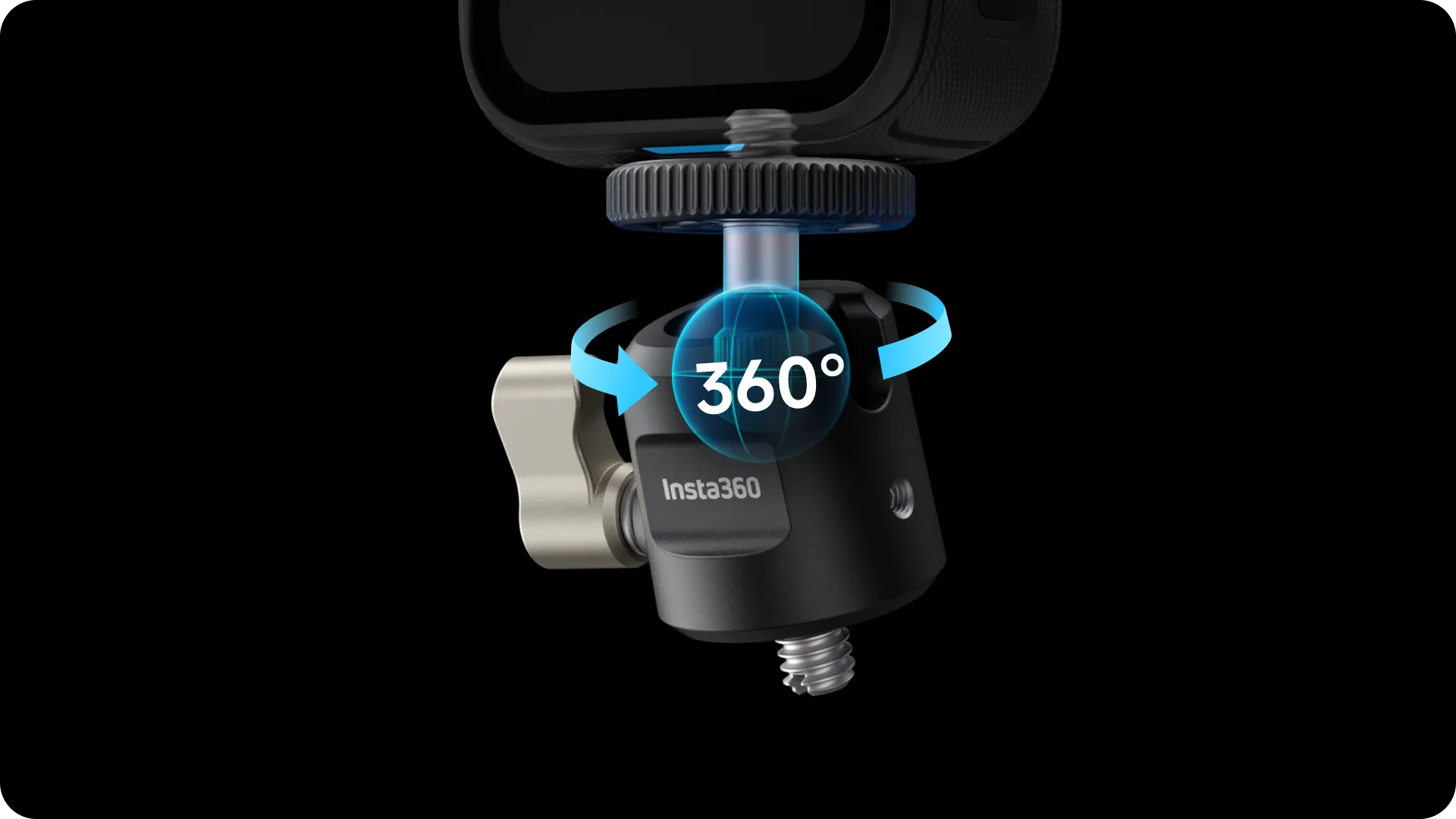
Flexible angle adjustments for the perfect shot - The ball head easily adjusts to capture driver views, passenger shots, or full cabin ambience.
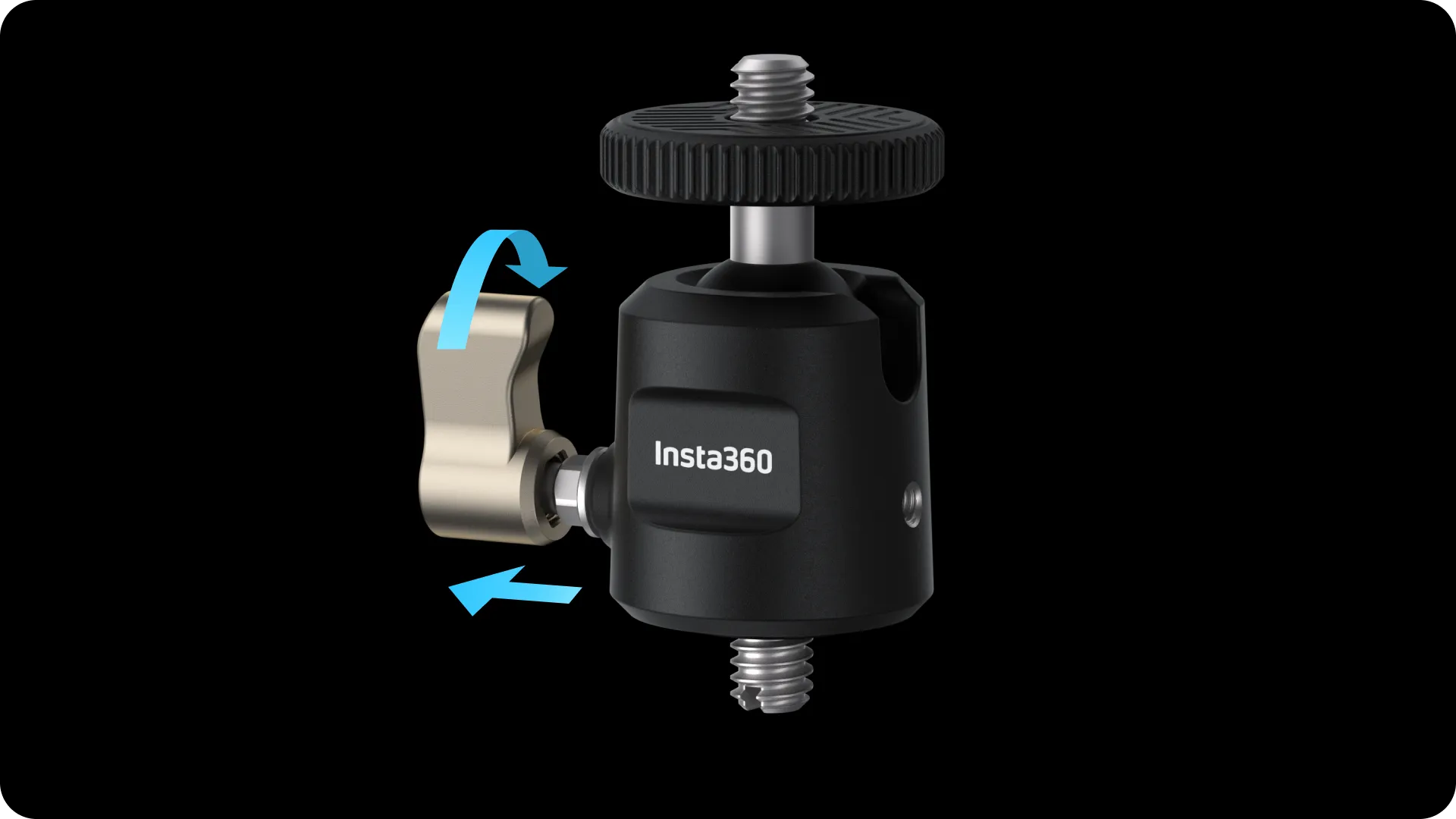
Adjustable lever design stays completely invisible - Simply pull out and reposition the locked lever to hide it from your 360 footage.
SPECIFICATIONS
SPECIFICATIONS
-
Weight: 64.5 g (2.28 oz)
-
Dimensions: 8.9×26x70.8 mm (2.32x1.02×2.79 in
- Materials: Aluminum Alloy, Stainless Steel, Polycarbonate, TPU, Silicone
IN THE BOX
IN THE BOX
- 1x1/4" In-Car Mount Adapter
- 1x1/4" to 3-Prong Adapter
- 1x Thumb Screw
HOW TO USE
HOW TO USE
Product Appearance

1/4" In-Car Mount Adapter Instructions
- The 1/4" screw on top of the ball head can connect directly to the 1/4" mount at the bottom of the camera. Alternatively, it can be used with the X6 3-Prong Adapter, Thumb Screw, and Quick Release Mount (sold separately) to secure the camera.
- After mounting the camera, secure [unclear] the adapter into the vehicle’s designated mounting holes using the 1/4" screws at the bottom.
- Loosen the lever to allow the ball head to rotate 360° and adjust the camera position. Flip the ball head into the notch on the side of the mount to switch to landscape orientation (90°). Once adjusted, tighten the lever to lock the angle.

Tip: If the lever is visible in the frame, pull it outward horizontally after tightening (②), adjust its angle to hide it from view (③), then release it.

Mounting the Camera - Insta360 X Series (e.g., X6)
Portrait Mounting
- Adjust the camera to the desired shooting orientation, thread the 1/4" screw on top of the ball head into the camera’s 1/4" mount, and then rotate the dial counter-clockwise until it is flush with the bottom of the camera to lock the orientation and reinforce the connection.
- Loosen the lever to adjust the shooting angle, then tighten the lever to secure the camera position.

Landscape Mounting
- Loosen the lever, flip the ball head into the mount notch, then tighten the lever.
- Thread the 1/4" screw on top of the ball head into the camera’s 1/4" mount, then rotate the dial counter-clockwise until it is flush with the bottom of the camera.

Insta360 Ace Series (e.g., Ace Pro 2)
Align and wrap the Quick Release Mount (sold separately) onto the metal tabs on the bottom of the camera in the direction shown, pressing firmly until it clicks into place. Tug the mount and the camera to ensure there is no wobbling or detaching, confirming a successful installation.

Thread the 1/4" to 3-Prong Adapter onto the 1/4" screw on top of the ball head (①), then snap the two prongs of the Quick Release Mount into the 1/4" to 3-Prong Adapter (②). Insert the Thumb Screw and tighten it securely (③).

NOTES
NOTES
- The 1/4" In-Car Mount Adapter is compatible with various Insta360 cameras, such as Insta360 X6 and Ace Pro 2. Please choose the appropriate mounting method for your camera model. For a full list of compatible models, please visit the Insta360 official website.
- The Quick Release Mount is not included. It must be purchased separately.
- The screw specifications at both ends of the mount are identical. Please verify the orientation during installation to avoid mounting it backward.
- After installation is complete, check and ensure all knobs and levers are fully tightened to prevent loosening or wobbling during shooting.
- We recommend against using magnetic quick-release accessories in environments with severe vibration or during high-intensity sports, as the camera may detach and be damaged.
- This product is not compatible with the Insta360 Unicorn Helmet Mount or Selfie Stick due to the risk of camera detachment.
COMPATIBILITY
COMPATIBILITY
X6, X5, Insta360 Ace Pro 2, GO Ultra, X4 Air, X4, GO 3S, Insta360 Ace Pro, X3, GO 3, Insta360 Ace, ONE RS 1-Inch 360 Edition, ONE RS (Twin/4K), ONE X2, ONE R, GO 2, ONE X


