









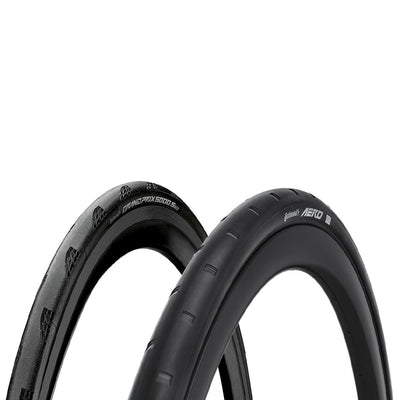







One of the questions we hear most at our parts counter has nothing to do with price or brand. It is some version of “will this fit my bike?”
It is a fair question, because the answer is rarely obvious. Disc brake pads come in dozens of shapes that look almost identical in a product photo. An 11-speed chain will not run properly on a 12-speed cassette. Rotors come in different diameters and two different mounting standards. Tyre clearance changes from one frame to the next, and sometimes between model years of the same frame.
In the shop, one of our mechanics can look at your bike and tell you. Online, you have been on your own, usually with three browser tabs and a spec sheet open. That is the gap Bike Matrix closes, and it is now live on wolfis.ae.
What Bike Matrix is
Bike Matrix is a compatibility tool built in New Zealand by a team led by a career bike mechanic. It holds a database of more than 100,000 bikes from model year 2018 onwards, along with product data supplied by over 150 component brands, including Shimano, SRAM and Campagnolo. It won the Eurobike Award for Digital Solutions in 2024.
You tell it which bike you ride. It then checks the parts in our store against that exact bike and shows you which ones are compatible.
The important detail is how it checks. It does not simply match a part type to a bike type. It looks at the components around the part on your specific bike. With brake pads, for example, the system takes the rotors into account, and it can flag a pad that suits the front caliper but not the rear on bikes that run two different ones. That is how a mechanic thinks about it, which is the point.
It is also worth saying what it is not. Bike Matrix is not an AI chatbot guessing at an answer. The results come from verified data and rules written by mechanics.
How to use it in four steps
We have recorded a short video for each step. Adding your bike is a one-time job, and after that the checks happen as you browse..
Step 1: Open wolfis.ae and select the bike icon
Go to wolfis.ae and select the bike icon at the top of the page. This opens Bike Matrix, where you can find compatible products for your bike.
Step 2: Add your bike
Click “Add a bike”. Then make three selections in order: your brand, your model, and your spec.
The spec matters as much as the model. Two versions of the same frame can leave the factory with different groupsets, brakes and wheels, and each of those changes what fits. If you are not sure which spec you have, the original order confirmation or the manufacturer’s page for your model year will tell you.
Step 3: Shop as you normally would
With your bike saved, browse the store the way you always do. Bike Matrix now checks what you see against your bike.
Your bike stays saved, so you do not have to select it again on your next visit.
Step 4: Look for green, then add to basket
Compatible products are shown at the top of the page and marked in green. Select the product you want and add it to your basket.
If you have upgraded your bike: the Virtual Workshop
Plenty of bikes do not stay the way they left the factory. A new wheelset, a different crankset, a groupset swap: each one changes what fits next. If Bike Matrix only knew the factory build, its answers would drift further from your real bike with every upgrade.
The Virtual Workshop fixes that. It lets you edit the digital record of your bike so it matches what is actually bolted to it, and every compatibility check after that runs against your build.
Here is how it works
1. Virtual Workshop

Modify the digital record of your bike to match any upgrades you've made, ensuring compatibility checks are as accurate as possible.
2. Open Your Bike Build
Open your saved bike in the Virtual Workshop and expand the component groups, such as Frame & Fork, Drivetrain and Brakes, to view the components currently recorded for your bike.

3. Look for the Green Spanner

A green spanner next to a component indicates that it can be swapped for another part or removed from your bike's digital build.
4. Choose the Right Replacement

Search for the replacement component using its barcode or manufacturer's part number, usually found on the packaging or invoice. You can also search by model number, but double-check the results, as some model numbers apply to multiple versions.
Bike Matrix will indicate whether the replacement is compatible with your current build.
5. Understand Linked Components

Some bike components depend on each other, such as a crankset and bottom bracket. If you try to replace one without updating the other, Bike Matrix may flag it as incompatible.
In these cases, you may need to remove both components before adding the new compatible pair.
6. Preview or Save Changes

You can swap or remove components to explore potential upgrades before committing to them.
Any unsaved changes can be reverted. However, once you save your updated build, those changes cannot be undone directly. You can still remove or replace components again if needed.
7. View Settings Page

Select the gear icon on your saved bike to access its settings. Here, you can rename your bike, update your email address, and find your Bike Matrix ID and Share ID.
What it checks
Bike Matrix currently runs compatibility across 18 categories, grouped into three areas:
Drivetrain: chains, cassettes, cranksets and bottom brackets
Brakes: pads, rotors, calipers, levers and complete brake systems
Wheels: tyres, front wheels, rear wheels, wheelsets, thru-axles and quick-release axles
These are the parts where a wrong guess costs the most time, and they are also the parts that wear. Riding in the UAE is hard on consumables. Sand works its way into chains, and long, hot months are not gentle on tyres or brake pads, so most riders here replace them more often than the manufacturer's brochure suggests. Being sure about the fit before you order matters a little more when the part is arriving by delivery.
The checks are live across our whole online store, wherever those parts are sold.
Try it on your own bike
The easiest way to understand Bike Matrix is to add your bike and browse a category you know well. Start with brake pads or chains, where you probably already know what your bike takes, and see whether the green markers agree with you.
Orders over AED 500 ship free across the UAE. And if you would rather have the part fitted than fit it yourself, you can book that through our Service Centre.
How do I know if a part will fit my bike?
Select the bike icon at the top of the page, click “Add a bike”, and choose your brand, model and spec. Compatible products then appear at the top and are marked in green.
Is Bike Matrix free to use?
Yes. There is no charge required
What if my bike is not in the list?
The database covers bikes from model year 2018 onwards and is updated continuously. If yours is missing, contact us or visit our Service Centre and we will check compatibility by hand.
Which parts does Bike Matrix check?
Drivetrain parts (chain, cassette, crankset, bottom bracket), brakes (pads, rotors, calipers, levers, brake systems) and wheels (tyres, wheels, wheelsets and axles).
Can I check compatibility if I have upgraded my bike?
Yes. Use the Virtual Workshop to swap the parts you have changed, searching by barcode or manufacturer’s part number. Compatibility checks then run against your updated build.
Does green mean the part is right for me?
Green means the part is compatible with the bike you selected. Which compatible option is best depends on how and where you ride, and our team can help with that.


